New Crawler UI/UX
The Algolia Crawler Visual UI provides an updated, user-friendly way to manage your crawl settings and monitor your indexing process. This guide covers the main features of the new interface.
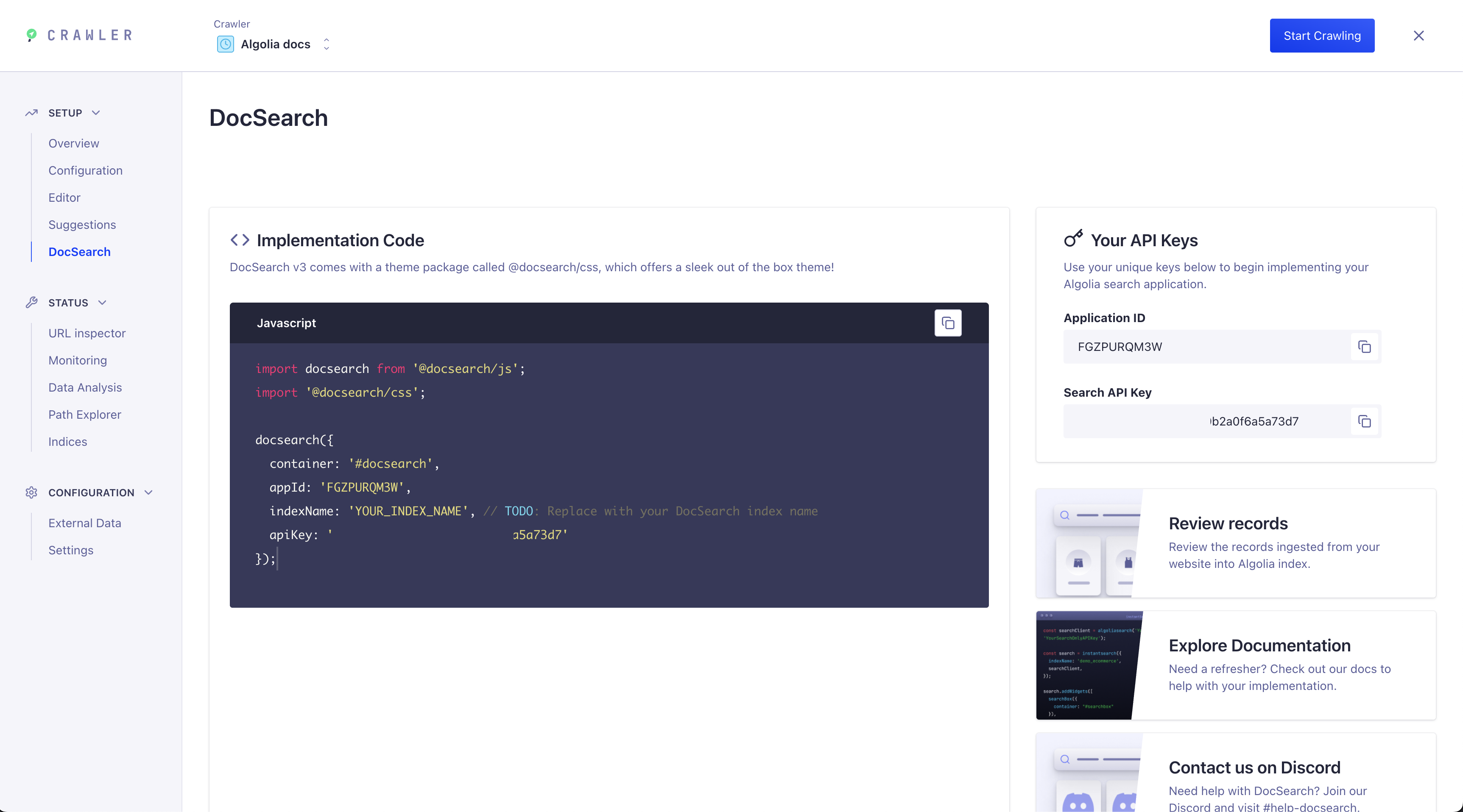
DocSearch Tab
The Crawler UI now includes a dedicated DocSearch tab. This tab provides everything you need to implement DocSearch on your site, including:
- Implementation code: Copy-paste ready code snippets for integrating DocSearch into your frontend.
- API keys: Your unique Application ID and Search API Key for connecting to your Algolia index.
- Quick links: Access to review your records, explore documentation, and join the support Discord.
Trigger a new crawl
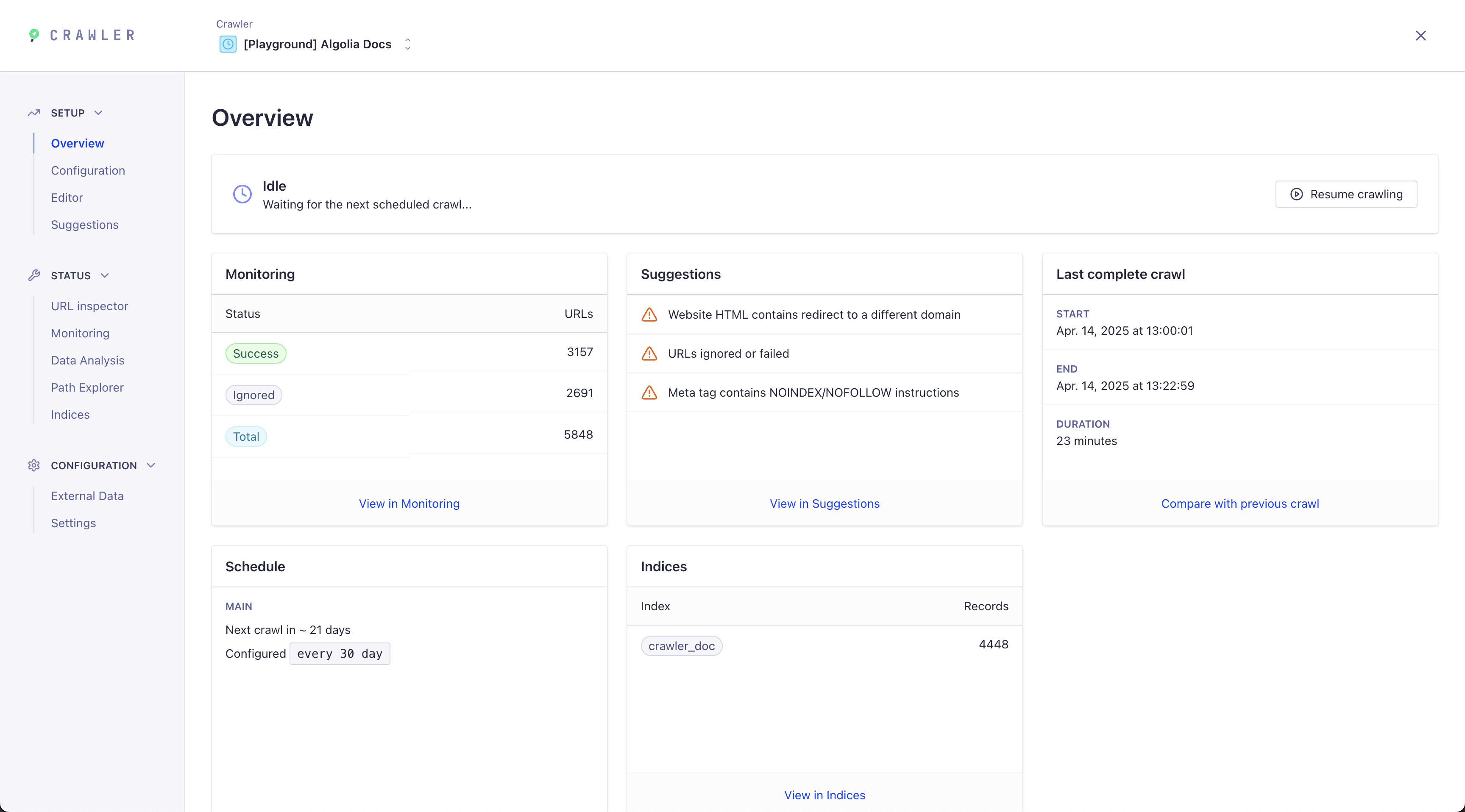
Head over to the Overview section to start, restart or pause your crawls and view a real-time summary.
Monitor your crawls
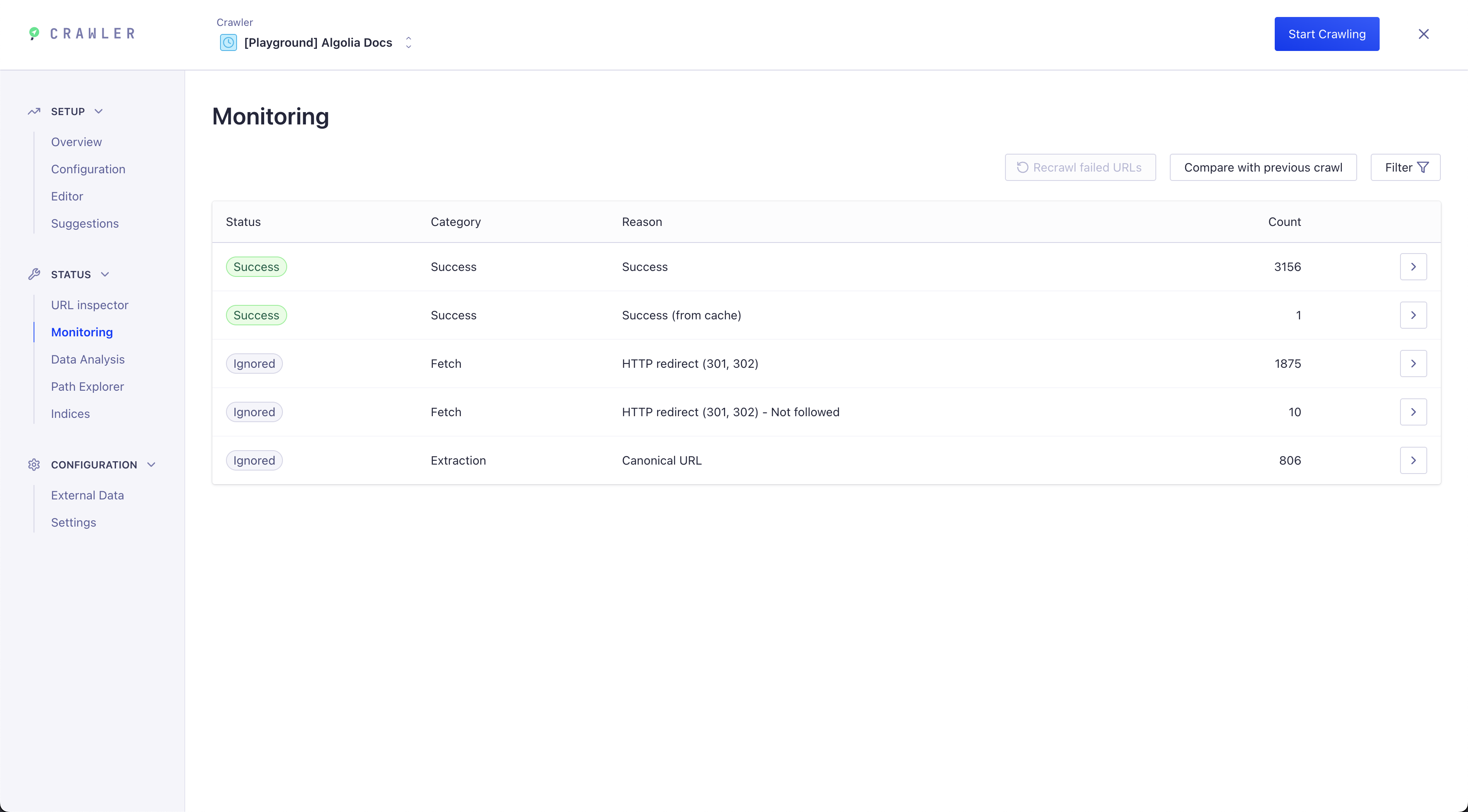
The Monitoring section helps you find crawl errors or improve your search results.
Update your config
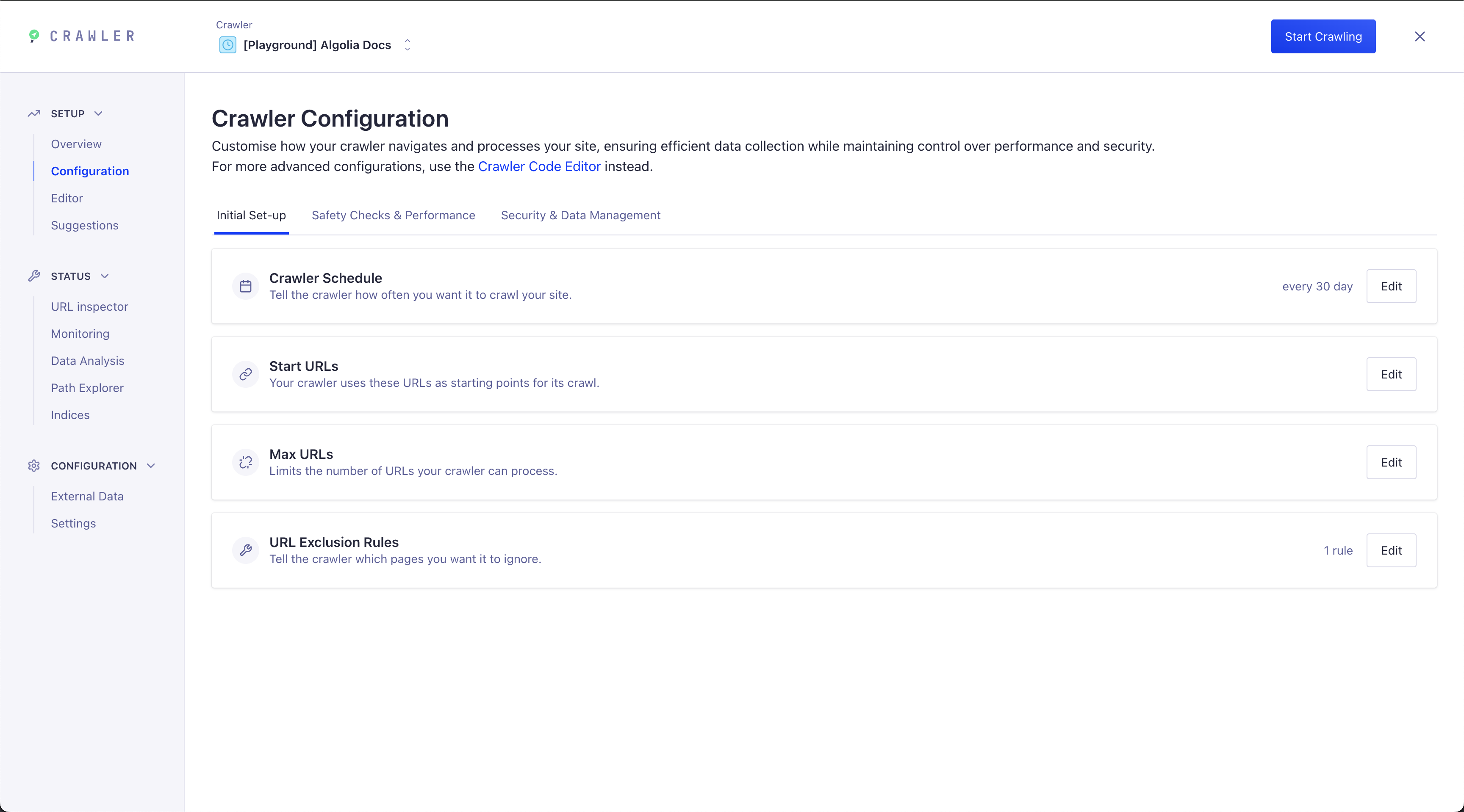
You can update your crawler configuration in two ways:
Visual Configuration UI: Quickly edit common options without writing code using the new Visual Configuration interface.
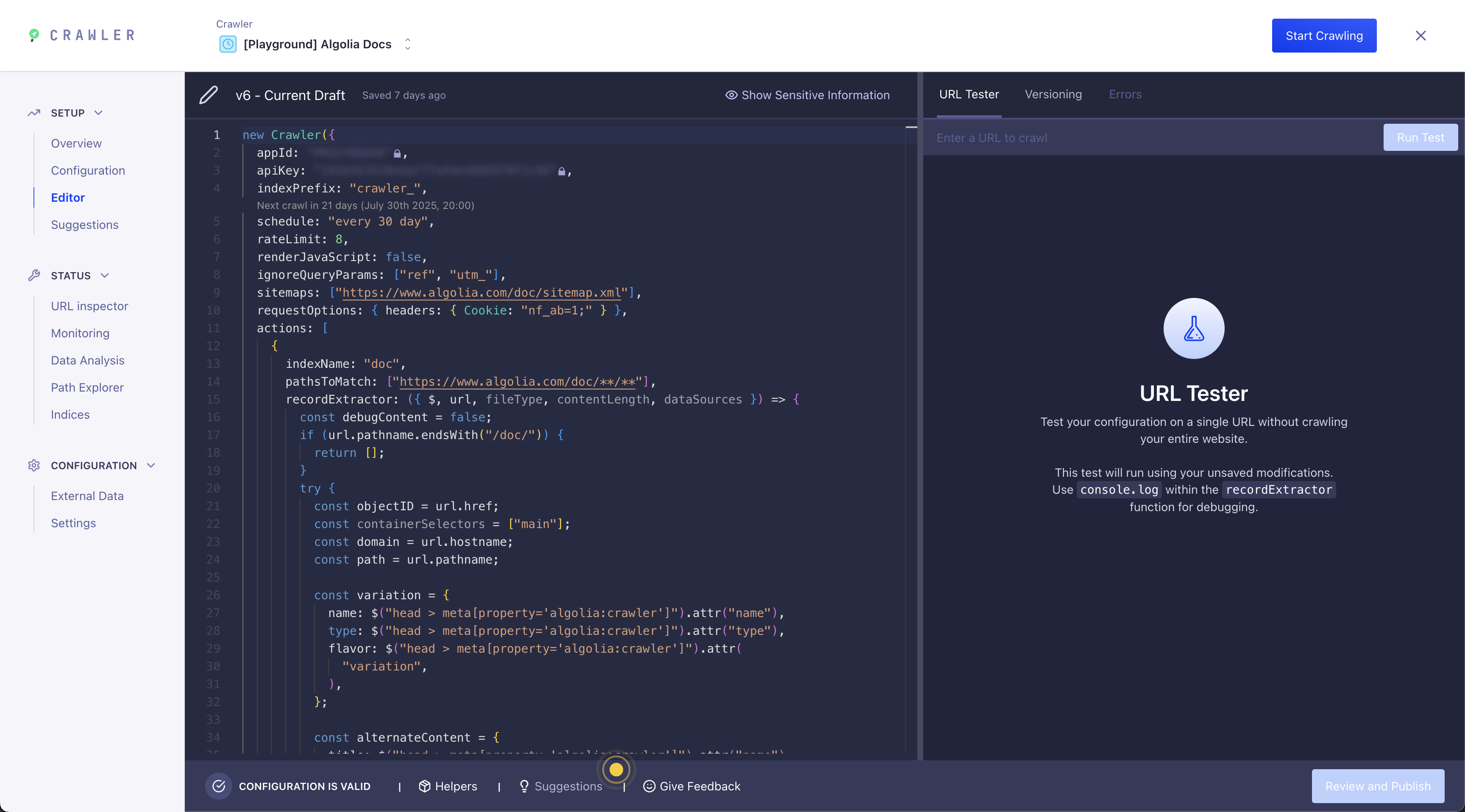
Code Editor:
For advanced configuration, use the live code editor to directly modify your config file and test your URLs (URL tester).
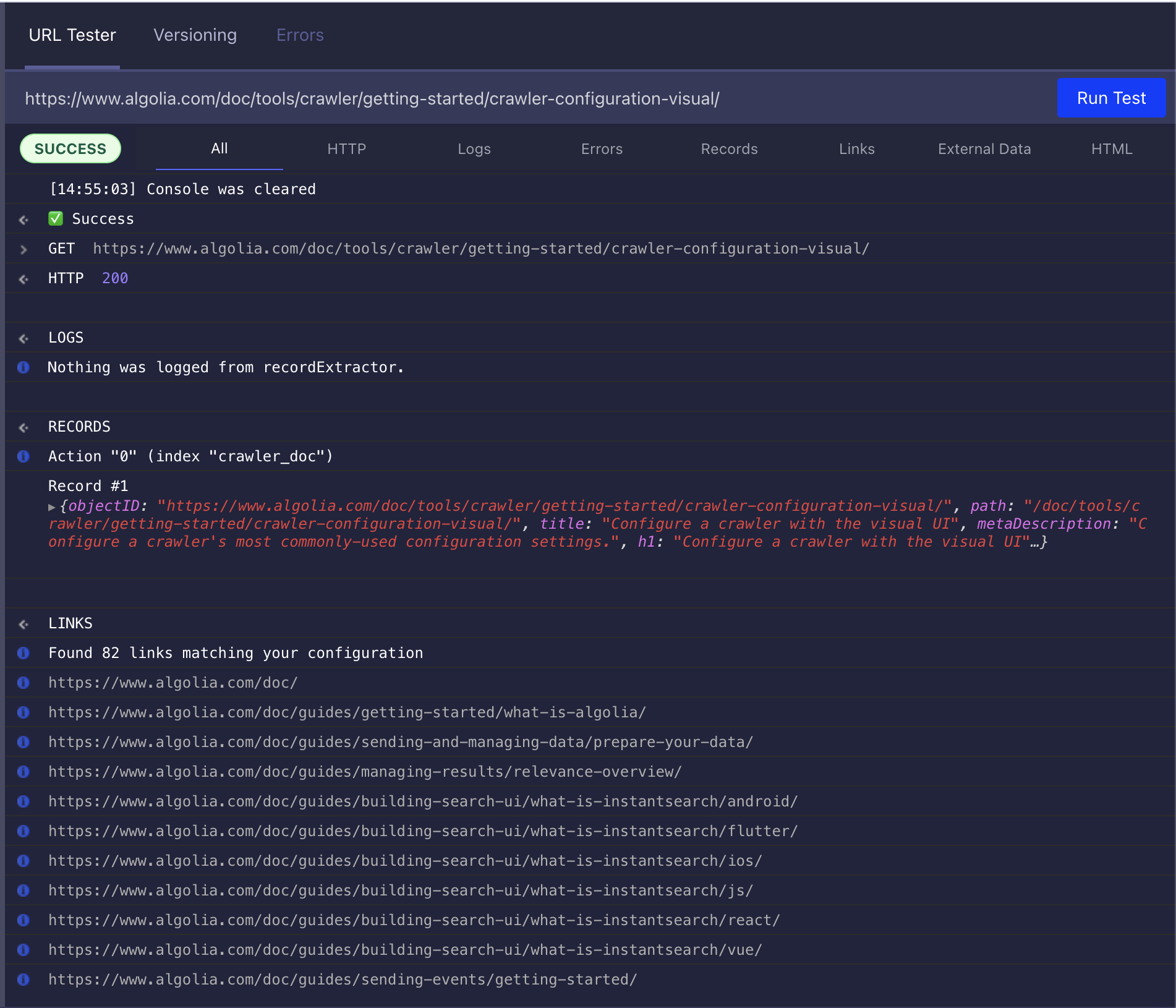
URL tester
From the editor, you can use the URL tester to debug selectors or see how the crawler interprets your site.
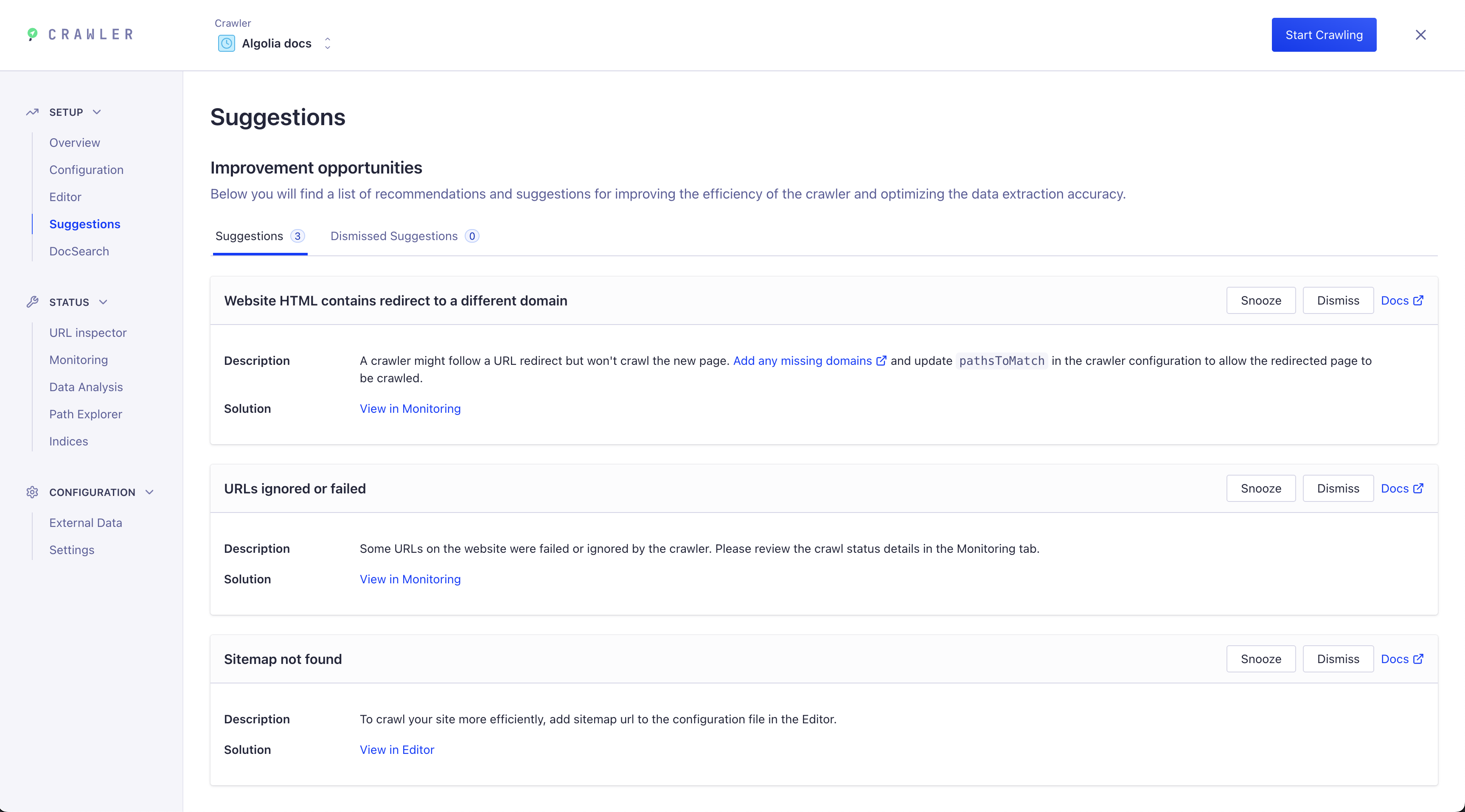
Suggestions
The Suggestions section in the Crawler UI provides actionable feedback to help you improve your crawl and data extraction. After each crawl, you'll see recommendations for:
- Fixing redirect or domain issues
- Addressing ignored or failed URLs
- Adding missing sitemaps
Each suggestion includes a description, a solution, and quick links to relevant documentation or monitoring tools, so you can resolve issues efficiently and optimize your search experience.